






'/%3e%3c/g%3e%3cdefs%3e%3clinearGradient%20id='paint0_linear_7339_401'%20x1='15.9835'%20y1='5'%20x2='15.9835'%20y2='27'%20gradientUnits='userSpaceOnUse'%3e%3cstop%20stop-color='white'/%3e%3cstop%20offset='1'%20stop-color='white'%20stop-opacity='0.7'/%3e%3c/linearGradient%3e%3c/defs%3e%3c/svg%3e)
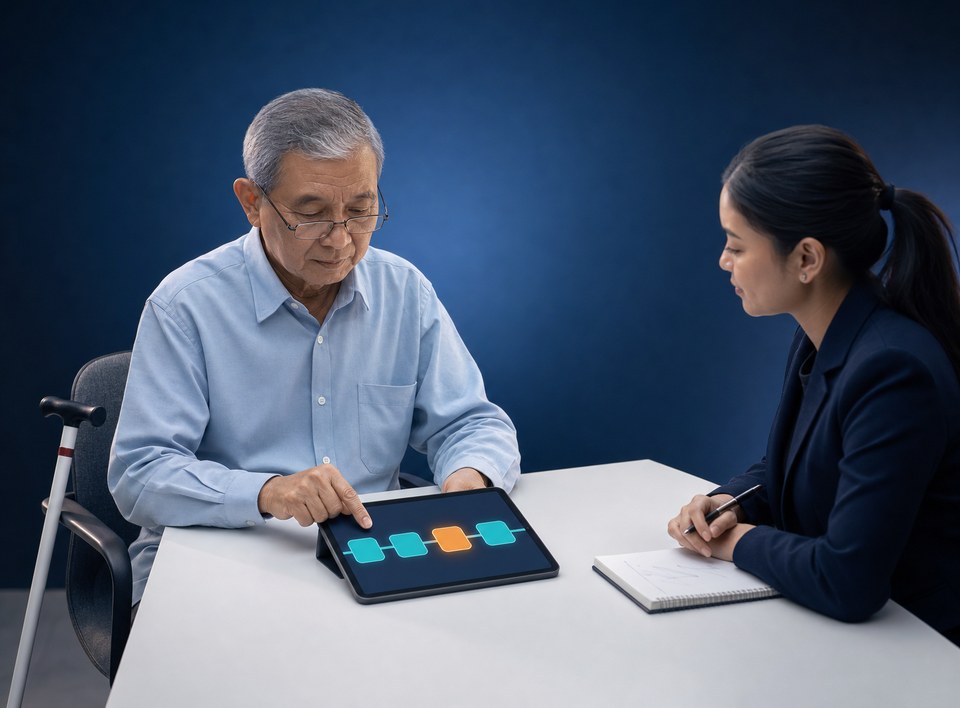

Usability testing is a session in which people who represent a product's target customers try to complete real tasks in an app or website while the team records where they fail, hesitate or misunderstand. For an Indonesian bank, insurer, securities house or multifinance company, that record is more than a design backlog: on our reading, it can form part of the new-product testing documentation that POJK 22/2023 Article 26(4) makes mandatory. Five participants find about 85% of problems under Nielsen's model, but only within one group of comparable users. Customers aged 60 and over, and customers with disabilities, need test groups of their own.
The textbook definition and the four basic steps (set goals and scenarios, recruit, run sessions, analyse) are everywhere, including our own piece on the user experience research process. When we pulled Google's results for "usability testing" in Indonesia on 16 October 2026, the AI Overview at the top advised recruiting 3 to 5 representative users who match the target audience. It said nothing about older or disabled customers. This article covers what that answer leaves out: how many participants, which ones, what score counts as average, and what to keep before an OJK-supervised flow goes to production. It's written for the CTO or product lead who signs off the go-live, with the compliance officer as the second reader of the evidence-file section.
Why usability test results can belong in a POJK 22 evidence file
POJK 22/2023 on Consumer and Public Protection in the Financial Services Sector was issued by OJK on 20 December 2023 and took effect on promulgation, 22 December 2023 (Article 125). Article 26 sets out four obligations in sequence. Paragraphs (1) and (4) read, in the original:
(1) PUJK wajib melakukan pengujian produk dan/atau layanan baru. … (4) PUJK wajib mendokumentasikan hasil pengujian sebagaimana dimaksud pada ayat (1).
In our translation: a financial services provider (PUJK) must test new products and/or services, and must document the results of that testing. Between the two, paragraph (2) states the purpose of the test, which is to assess risks that could harm consumers, and paragraph (3) requires a review when the results show potential harm. Breaching paragraph (1), (3) or (4) can lead to administrative sanctions running from a written warning up to revocation of the business licence, with fines of up to Rp15 billion.
The Elucidation (Penjelasan) of Article 26 gives a digital product team three things to work with:
- What counts as "new": a product offered for the first time, or a development that changes a product materially, including selling it to a new target customer group. Moving account opening into the app for a segment that used to be served in branches can fall into this category.
- How to test: "antara lain melalui survei, riset pemasaran, uji coba secara terbatas" (among others, through surveys, market research and limited trials), or a regulatory sandbox.
- What is assessed: the product's purpose, transparency of information, whether the marketing fits the target customers' needs and abilities, and whether the standard-form agreement is appropriate.
This is our reading, not an OJK statement. Article 26 never uses the word "usability" and doesn't prescribe a method. Our argument: a usability test with recorded findings is one form of limited trial, and it tests the "transparency of information" aspect directly. If customers can't find the fee on the product summary screen, that's a transparency finding. Not a matter of design taste. The Elucidation of paragraph (2) also limits the scope: risks inherent in the product itself, such as an investment losing value because of market conditions, are excluded. Article 27 exempts products for government or authority programmes (Bank Indonesia and OJK) and products of microfinance institutions.
The other screen-level obligations in POJK 22, from RIPLAY (the mandatory product and service information summary) to complaint-channel service hours, are set out in our article on POJK 22/2023 consumer protection as a screen specification. Here we only need Articles 26 and 54.
Choose the method by the risk in the flow
The pages that rank for this term present test types in pairs, moderated or unmoderated, remote or in person, with no rule for when to use which. For a supervised flow the rule is simple: the costlier a misunderstanding is for the customer, the more you need a facilitator who can ask "what did you think that fee was for?". The table below is our recommendation, not a regulatory requirement.
| Flow | What can go wrong | Method | Participants per round |
|---|---|---|---|
| Onboarding and eKYC | Wrong document uploaded, abandonment mid-flow | Moderated, think-aloud, in person or remote | 5 general + 3 aged 60+ + 3 with disabilities |
| RIPLAY and comprehension confirmation | Fees, risks or tenor misunderstood | Moderated, comprehension questions after each task | 5 general + 3 aged 60+ + 3 with disabilities |
| Complaint form | Channel not found, wrong category picked | Moderated remote | 5 |
| Copy or content change | Text misread, button missed | Unmoderated remote | 5 |
The 60+ and disability groups sit on the first two rows on purpose. That's where the customer gives consent and enters a binding agreement, and it's where a mistake is hardest to reverse.
What isn't usability testing
Some pages in the results count A/B testing, satisfaction surveys and card sorting as "usability testing methods"; others leave them out. We leave them out. An A/B test tells you which variant wins, not why customers failed. A survey measures opinion, not behaviour. Card sorting tests menu structure before any screen exists. All three are useful, and none of them shows a person trying to finish a task.
User acceptance testing (UAT) is different too, and the difference matters at sign-off. UAT proves the system meets its specification, and it's usually signed by the business unit that owns the requirement. A usability test proves that customers representative of the target group can use it without misunderstanding it. A flow can pass UAT at 100% and still leave 3 of 5 participants missing the administration fee. Two signatures, two questions.
How many participants: Nielsen's model and its limits
Jakob Nielsen and Thomas K. Landauer modelled the discovery of usability problems in 1993 (Proc. ACM INTERCHI'93, pp. 206–213). Nielsen summarised it in "Why You Only Need to Test with 5 Users" (18 March 2000): problems found with n participants = N(1 − (1 − L)n), where L is the share of problems one person uncovers. The typical L across the projects he studied was 31%. The figures below are our calculation from that formula.
| Participants | Share of problems found |
|---|---|
| 1 | 31.0% |
| 2 | 52.4% |
| 3 | 67.1% |
| 5 | 84.4% |
| 8 | 94.9% |
| 10 | 97.6% |
| 15 | 99.6% |
Two points from the same article tend to drop out whenever the "5" gets quoted. First, Nielsen recommends spending a 15-participant budget as 3 rounds of 5, with design fixes between rounds, not as one round of 15. The second round is what proves the findings were dealt with. Second, the formula only holds for comparable users. With three or more distinct groups, he suggests 3 people per group, and never fewer than 3 for any group.
So the plan we recommend for an onboarding or RIPLAY flow is 11 people in the first round (5 general customers, 3 aged 60 or over, 3 with disabilities), then a re-test with at least 5 after the fixes. Raising the general group to 11 won't surface the problems that only a screen-reader user or a 70-year-old's eyesight runs into. Our blunt view: one round with no re-test proves nothing yet. It's a list of complaints.
Why the 60+ and disability groups, in numbers
According to Statistics Indonesia's (BPS) 2025 Intercensal Population Survey, SUPAS 2025 (BRS No. 51/05/Th. XXIX, 5 May 2026), older people now make up 11.97% of Indonesia's population, up from 9.93% in 2020. Disability prevalence among those aged 5 and over is 2.17%, up from 1.43% in the 2020 Census Long Form; the most common type is difficulty walking or climbing stairs (0.95%). BPS draws the older-person line at 60, exactly the age the Elucidation of POJK 22 Article 54 uses for "lanjut usia" (older persons).
Article 54(3) says a PUJK "mempunyai tanggung jawab untuk mendukung penyediaan layanan khusus" (has a responsibility to support the provision of special services) for persons with disabilities and older persons, and its Elucidation lists app features designed with disabled users in mind as one of seven examples. To be precise: paragraph (3) carries no sanction (the sanction in paragraph (4) reaches only paragraphs (1) and (2)), and POJK 22 names no technical standard, WCAG included. So these test groups aren't a written obligation. They're the most direct way to show the responsibility is being carried out, in a form that can be opened during an examination.
SUS: 68 is average, not "good"
The System Usability Scale (SUS) was created by John Brooke in 1986: 10 statements, each with 5 response options. To score it, per Jeff Sauro (MeasuringU, 3 February 2011): subtract 1 from the answer on odd-numbered items, subtract the answer from 5 on even-numbered items, add the results and multiply by 2.5. That gives 0–100, and the average across 500 studies is 68.
A SUS score isn't a percentage. 68 sits at the 50th percentile, 75 at the 73rd and 52 at the 15th. The grade table below uses the Sauro–Lewis curve from "5 Ways to Interpret a SUS Score" (19 September 2018), which moved the boundaries from the 2011 table.
| SUS score range | Grade |
|---|---|
| 84.1–100 | A+ |
| 80.8–84.0 | A |
| 78.9–80.7 | A− |
| 77.2–78.8 | B+ |
| 74.1–77.1 | B |
| 72.6–74.0 | B− |
| 71.1–72.5 | C+ |
| 65.0–71.0 | C |
| 62.7–64.9 | C− |
| 51.7–62.6 | D |
| ≤ 51.6 | F |
The bands that circulate in Indonesian-language search results, 85 and above, 70–84 and 50–69, don't match this source. On those bands a 70 sounds satisfactory; on the Sauro–Lewis table it's a C, a little above average. A vendor report built on those bands can present a 72 as a comfortable result when the table grades it C+. With 11 participants, report SUS per group as an indication of direction, not a pass mark. The recorded task failures and misunderstandings remain the primary evidence.
The evidence file: what to keep
None of the eight top-ranking pages we read on 16 October 2026 for the Indonesian query "usability testing adalah" says what to keep after a test session. For a supervised flow, this is the file we recommend, put together so an auditor can read it without having to ask the design team:
- Test plan: the flow and build version tested, objectives, dates, and the Article 26 aspect being assessed (transparency of information, for example).
- Recruitment criteria and an anonymised participant log: group, age band, type of disability where relevant, with no names and no NIK (national identity number).
- Consent forms covering participation and recording.
- Task script and comprehension questions, word for word.
- Session recordings, with a list of who may access them.
- Findings with severity ratings, each with the number of participants who hit it.
- Remediation log: which findings were fixed, deferred or accepted as risk, and by whom.
- Re-test results on the fixed build.
- Sign-off by the product owner and the consumer protection function.
POJK 22 sets no retention period for testing documentation. Set one in internal policy, and record its basis in the same file.
Data on the test screen
Screen recordings, faces and voices of identifiable participants are personal data under Law No. 27 of 2022 on Personal Data Protection (UU PDP). Run sessions on test accounts with dummy or masked data, never ask a participant to type a real NIK or account number, and ask for recording consent separately from consent to take part. The processing basis and impact assessment are covered in our piece on data protection impact assessments under UU PDP Article 34. That's also the honest answer to "is user testing safe?": it is, as long as real data never appears on the screen.
What we can show, and what we can't yet
Our CGS International case study names its challenge "Balancing Regulation with Usability": making sure every platform feature adheres to financial laws and guidelines without compromising functionality. That's the same tension this article deals with. The case study doesn't describe a usability test, so we don't claim one. The Olaif case study, a consumer products brand rather than a financial institution, names UX research as the basis of its design. The protocol above is built from the public sources linked in this article, not from financial-institution project findings we're able to publish.
For the CTO and product lead: before you sign the go-live
Put these five questions to your team, or your vendor, before an onboarding, RIPLAY or complaint flow goes to production:
- Is this flow "new" under the Elucidation of Article 26, including because it targets a new customer group?
- How many participants per group, and is there a 60+ group and a disability group with at least 3 people each?
- What's the SUS score per group, against the average of 68, and what grade is that on the Sauro–Lewis table?
- Was there a re-test on the fixed build, or only a list of findings?
- Are the recordings free of real customer data, and who holds access to them?
Usability testing answers whether customers can use the flow. Whether someone else can break into it is answered by penetration testing, whose scope we set out in our penetration testing scope of work checklist for banks. How to measure the experience after go-live, from NPS to complaint volumes, is in customer experience in Indonesian banking as a POJK 22/2023 obligation. For the research and design work that gets a flow ready to test, see WEBARQ's UX research and UX design service.